To implement this, three steps must be taken:
Step 1:
Create the desired birthday reward in the dashboard. Here you will find instructions on how to create a reward.
However, you must not forget to check the box for "Free reward redemption" when creating the reward:

Step 2:
Now create the corresponding automation in the dashboard that activates the free bonus redemption:
- Gehe dafür in der Navigation zu "Nachrichten" > "Automatisierungen"
- Erstelle über den + Button eine neue Automatisierung
- Fill in the following fields here:
- Titel (links oben): verwende hier eine Bezeichnung, die dann für dich und alle anderen im Team nachvollziehbar ist
-
- Auslöser: Drücke auf das Plus und wähle einen Auslöser "Geburtstag".
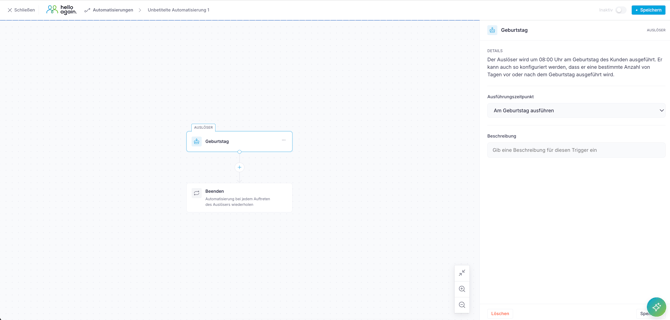
-
- Füge nun die promotion hinzu indem du auf das Plus darunter klickst: Wähle hier die Option "Kostenlose Prämieneinlösung vergeben".
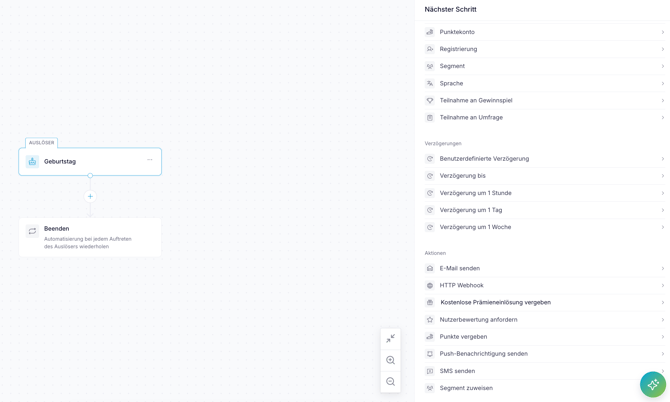
- Wähle bei "Kostenlose Prämieneinlösung vergeben" die vorher erstellte Geburtstags-Prämie aus.
- Expiration time in days: here you can define how long your customers have to redeem their birthday bonus. After that, the bonus disappears again.
- Füge nun die promotion hinzu indem du auf das Plus darunter klickst: Wähle hier die Option "Kostenlose Prämieneinlösung vergeben".
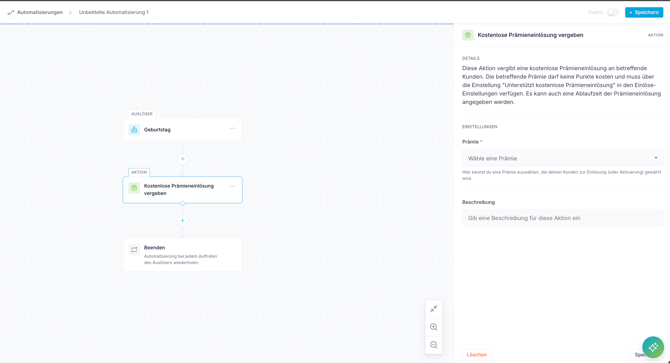
- Klicke nun auf "Speichern", aktiviere sie und schon ist die Automatisierung fertig!
Step 3:
Now there's just one more step: You can link the new reward to your automated birthday campaign (push notification) – this will take your customers directly to the birthday reward.
- To do this, go to Messages > Campaigns in the dashboard.
- Search for the automated birthday message that has already been saved.
- Click on the title of the message to view the details.
- If you haven't already done so, enter the 360 days "Minimum time between messages" here as well.
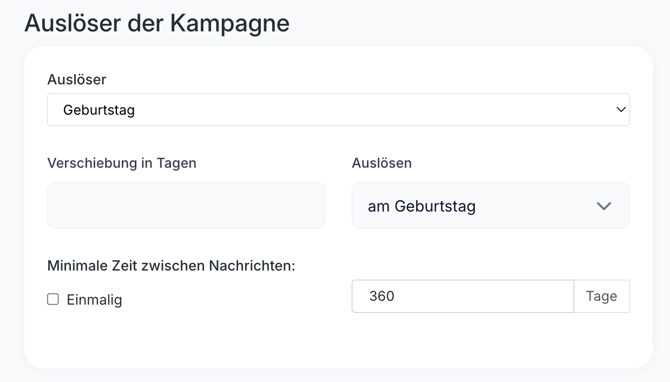
- Click "Continue" to access the text of the message.
- Scroll down and open the "Advanced" section.
- Here you can now link the birthday bonus
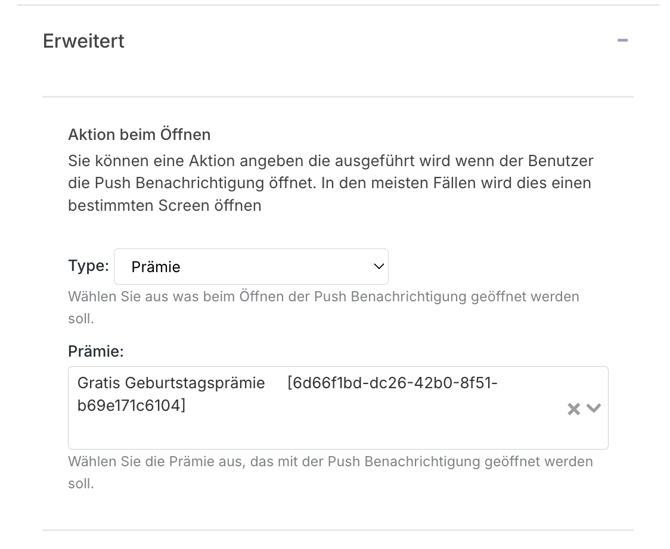
- Click on the "Save changes" button below and you're done!
Have fun!