Bonus as a promo code – what is it?
A promotional code reward is a digital reward issued to customers in the form of a single-use or multi-use code. This code can then be redeemed online or in-store to receive a discount, a free product, or a special benefit.
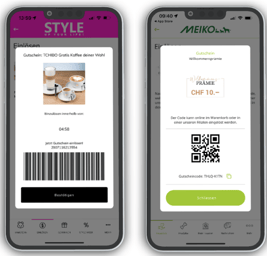
This is what your bonus could look like as a promo code.
Want to go straight to the video tutorial? Let's get started
How does it work?
1️⃣ Creation of the premium
- You create a reward with the Promo Code option.
- You decide whether the code should be redeemable once per user or multiple times.
2️⃣ Distribution of the code
- Customers receive the promo code directly in the app as soon as they redeem the required points.
- The code can be used in an online store or directly in the store.
3️⃣ Redeeming the promo code
- Customers enter the code at checkout in the online shop or present it when making a purchase.
- The system checks the code and grants the corresponding benefit (e.g., discount or free product).
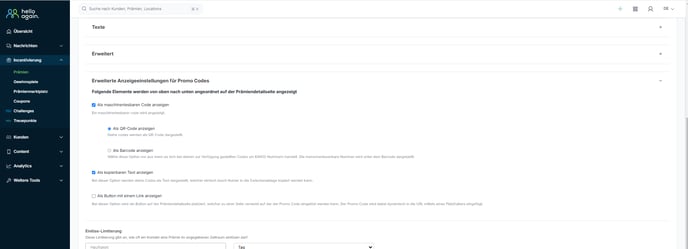
Advanced display settings for promo codes
When creating a reward via the HelloAgain dashboard, you have various options for making this reward available to customers. Compatibility with your POS system is always a prerequisite.
Options:
- Bar code:
- QR code:
- Copyable text
- Button with a link
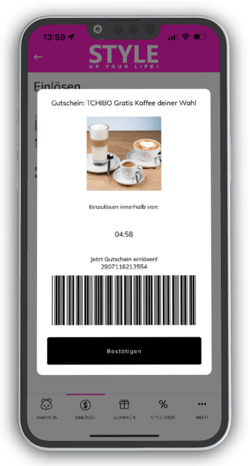
Example bar code:
EAN code - The promo code is displayed as a bar code.
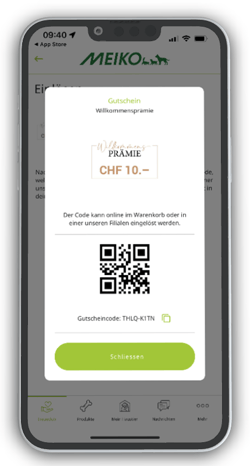
Example QR code:
The promo code is displayed as a QR code.
Tip: The "promo code" transfer type can also be used in brick-and-mortar stores, provided that the POS system can scan it.
Display as copyable text:
With this option, your codes are displayed as alphanumeric code (text). Customers can simply copy this code to the clipboard when redeeming it.
Display as a button with a link:
With this option, a button is placed on the rewards bar that links to a website (e.g., your online store) where the promo code can be redeemed. The promo code is dynamically inserted into the URL using a placeholder.
Video tutorial | Creating a promo code reward
In this example, a reward is created as a promo code and the method for redeeming the reward is changed from "as redeemable text" to "barcode."
Step-by-step guide to creating a reward | Let's get started
Variants & multiple premiums
These features allow you to offer premiums more flexibly and give users more choice. Both options must be activated by us in the background —if you are interested, please contact our support team: support@helloagain.at.
Variants: Several options for a premium
📌 Example: A T-shirt can be offered in different sizes or colors within a single reward.
Multiple redemption: Redeem multiple rewards at the same time
📌 Example: When redeeming rewards via the mobile app, users can select multiple items of a reward, e.g., three movie tickets instead of just one.
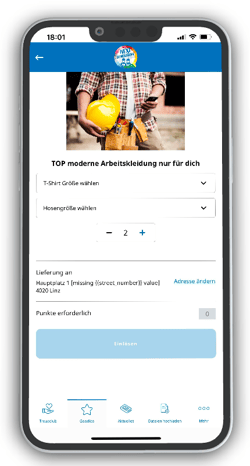
💡 Want to know exactly how it works? | Step-by-step instructions for creating a variant or multiple rewards
💡 Need inspiration for your rewards?
Here you will find types of bonuses and corresponding examples for further use:
- Product bonus: e.g., products from partner companies, a water bottle, a key ring, a drink, a piece of cake, a cosmetic product, a best-selling product, merchandise, etc.
- Service bonus: e .g., consulting services, bicycle service, aromatherapy, free delivery, etc.
- Seasonal bonus: e.g., free admission to the pool, ski goggles, swimwear, tire change, monthly burger, a carnival doughnut, etc.
- Value bonus: e.g., 10% discount on your favorite product, $50 gift card, percentage discount, shopping voucher...