What is fraud detection?
To prevent anyone from taking advantage of your loyalty club, suspicious customers can be reported to you from the dashboard.
There are three ways in which we can filter anomalies:
- Number of purchases
- Total value of purchases
- point limit
You set the thresholds. As soon as a customer reaches this value, they are marked as suspicious and appear in your daily report.
How you proceed with your "suspicious" customers is, of course, entirely up to you. The higher the number of app users, the more difficult it is to keep track of everyone, but this tool can help.
What happens in detail?
As soon as customers become conspicuous after applying the desired filters, they are added to a list of suspicious users. They are not yet notified. The list is for your control.
You can also manually report specific customers as fraudulent in their user details under Customers . This will also add them to the suspicious user list and their accounts will be blocked.
To view the confirmed suspicious cases in the list, select the Confirmed filter.
You can find this list under Tools.

1. Clarify fraud
Once you have checked a suspected case of fraud and determined that it is normal user behavior and not fraud, you can "clear" it.
.png?width=688&height=202&name=Nicht%20benannt%20(1).png)
2. Confirm fraud
If customers are flagged by fraud detection and are actually committing fraud, you can confirm the fraud.
.png?width=688&height=202&name=Nicht%20benannt%20(2).png)
After that, their account will be blocked and access to the app will be prevented. This means that these customers will also not be able to receive push notifications. However, emails will not be blocked.
Customers whose accounts have been blocked will receive the following warning when they open the app:
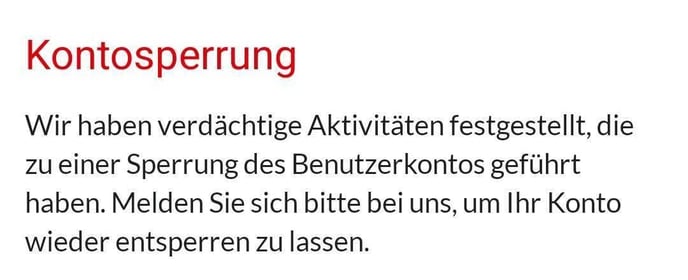
This block can be lifted at any time by "clarifying" the fraud. All account data, including points, will be retained.
Recommendation: We recommend sending a push notification before blocking the account to inform customers about the block.