We distinguish between manual and automatic segments.
With a manual segment, individual customers can be added or removed manually.
To do this, click on the corresponding segment in the dashboard under Customers - Segments to edit it.
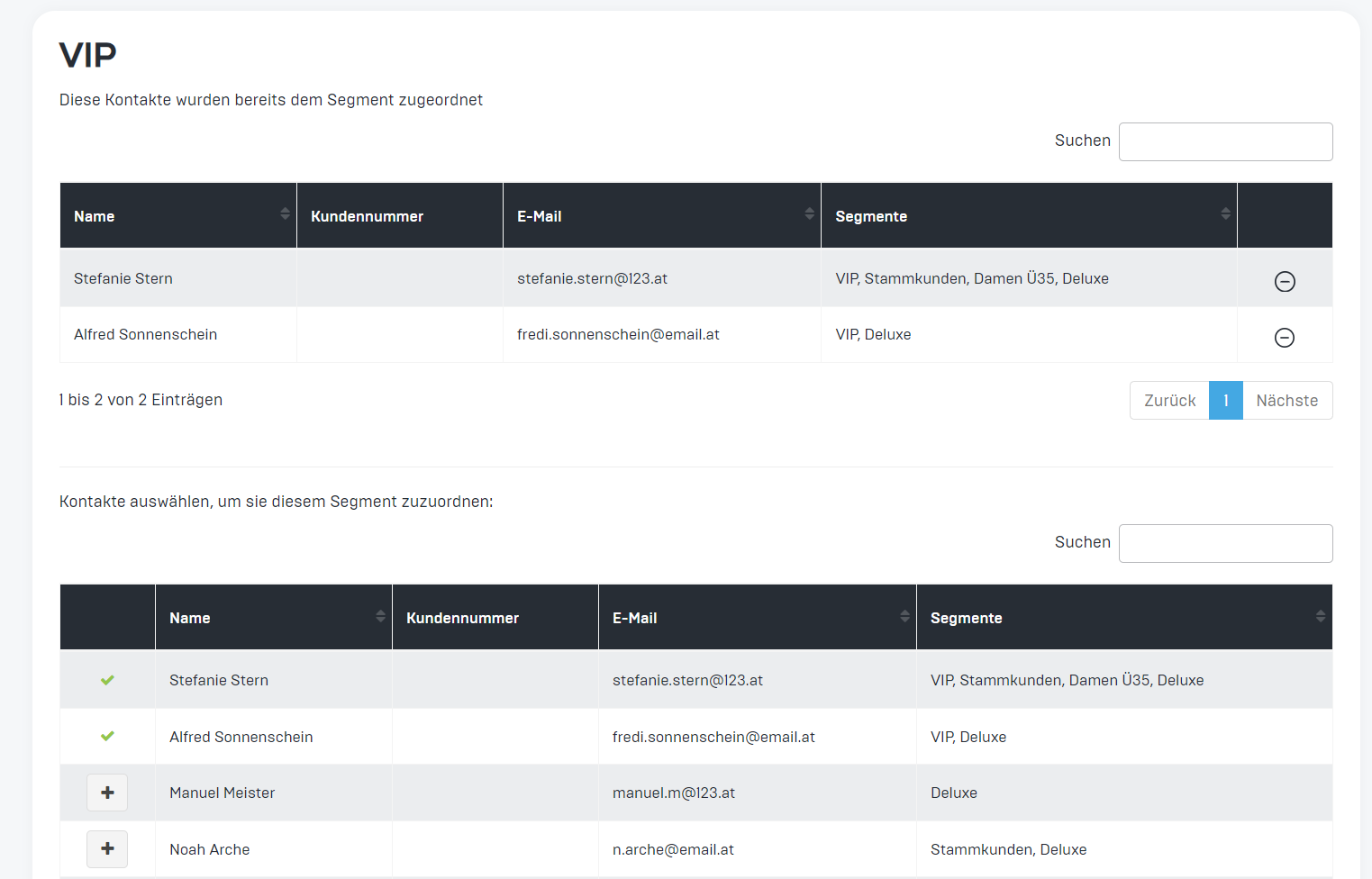
In the upper area, you will see all customers who are currently assigned to this segment. By clicking on the minus sign on the right, customers can be removed from the segment.
In the lower area, you can add new customers to the segment by clicking on the plus sign.
Here is an example of the VIP segment:
With automated segments, customers can only be removed or added if the corresponding trigger is present.
e.g., the segment Favorite Branch X.
All users who have specified Favorite Branch X are automatically placed in this segment. If the setting is changed in the customer profile in the dashboard or by the customer in the app, the customer is removed from or added to the segment.
Here you can find more information about segments.