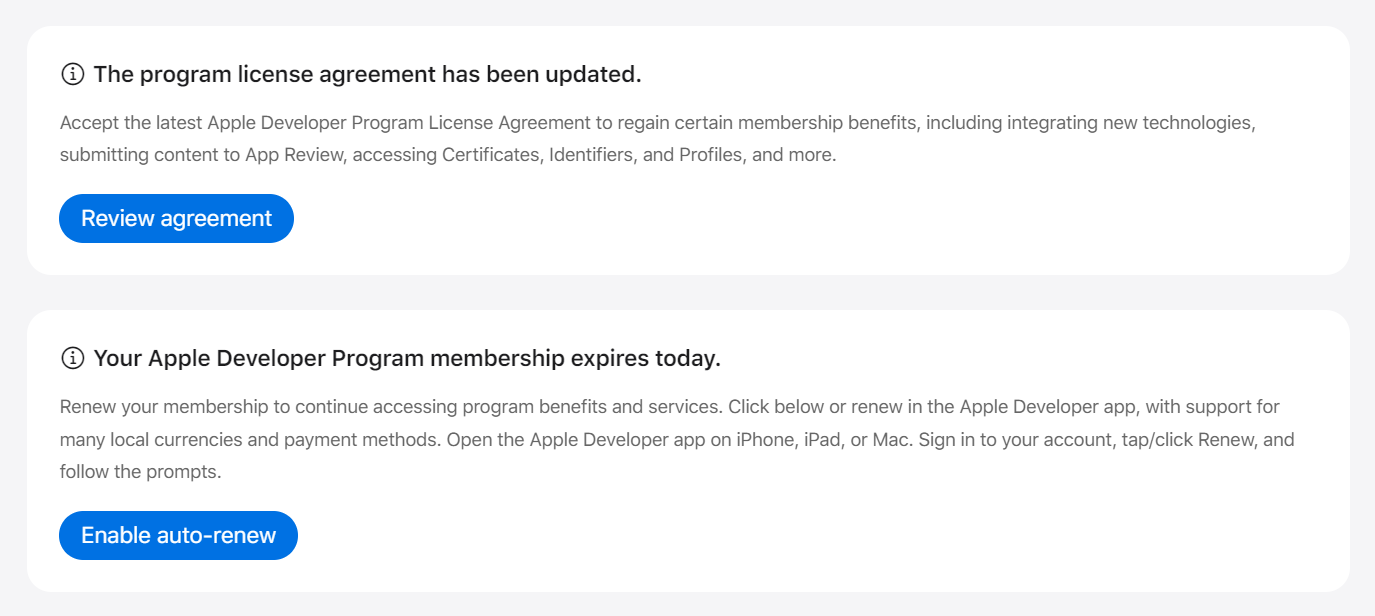
If your app is no longer available in the Apple App Store, this means that you need to renew your account. Follow these steps:
-
Register with your contact details on the Apple Developer website: https://developer.apple.com/account
-
Click on "Account" in the menu bar.
-
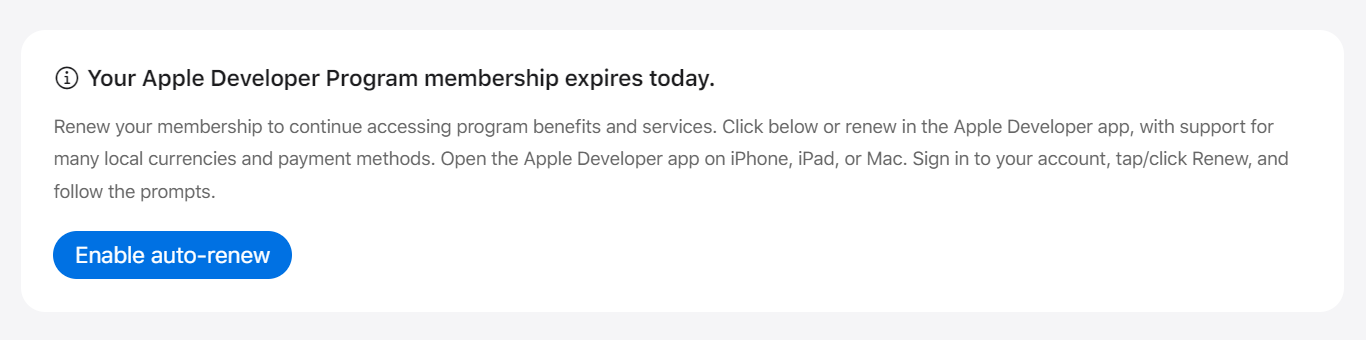
There you will find a blue button labeled "Enable auto-renew." Click on it and confirm your selection.
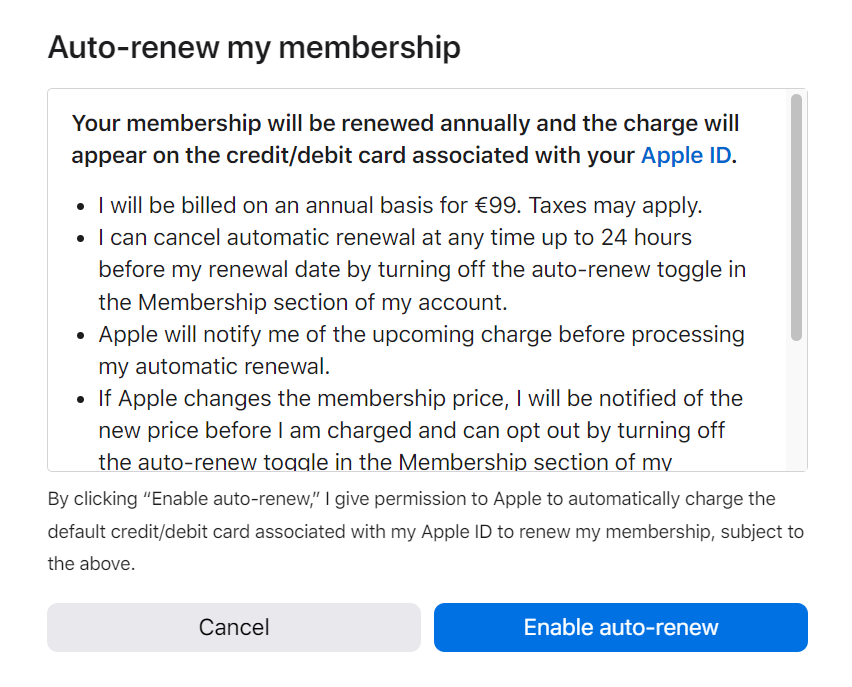
-
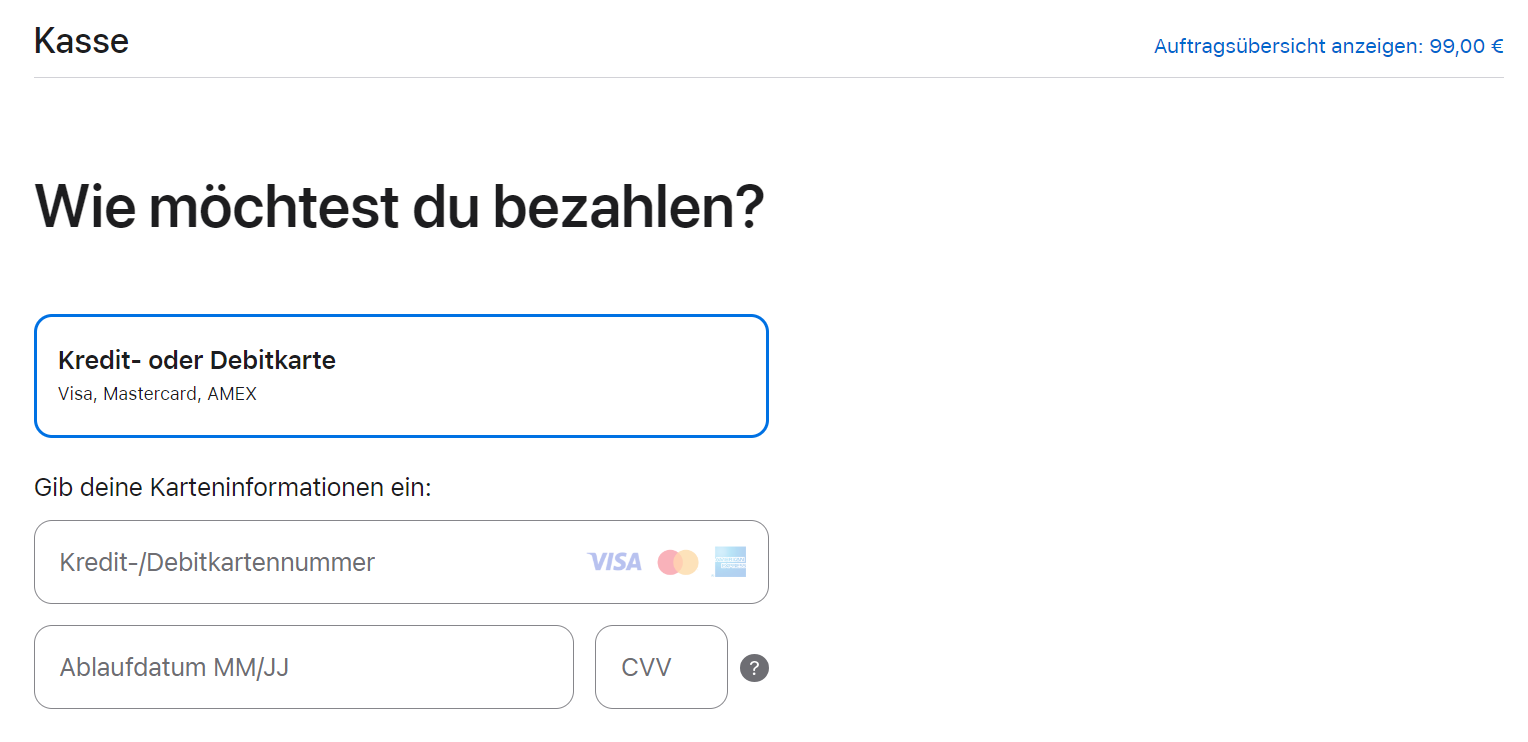
Now you can renew your account. Log in again with your contact details and you will be redirected to the checkout page.
-
On this page, you can enter your credit card details, billing address, and VAT ID.
-
After confirming your entry, you will be asked again if you want to make the payment. Agree to the terms and conditions and click on "buy now."
-
Congratulations! You have successfully extended your developer account for one year. Your invoice will be sent to the email address you provided three days later.
Note: If there are two blue buttons on the home page of your app account, namely "Review Agreement" and "Enable auto-renew," please confirm both.