- Log in to the company account with your Apple credentials at: developer.apple.com
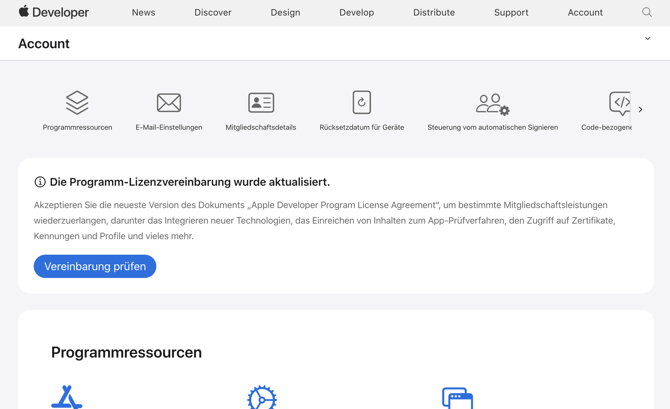
- At the top of the page, you will immediately see a bar with a note about the new program license agreements. Click on the blue "Review Agreement" button and then agree to the terms.
In the next step, go to https://appstoreconnect.apple.com/business to check whether a new contract agreement is waiting for your approval here too.
If there is a banner here saying "Add legal entity," add it, and then under "Paid apps," you should be able to view and accept the new terms and conditions.
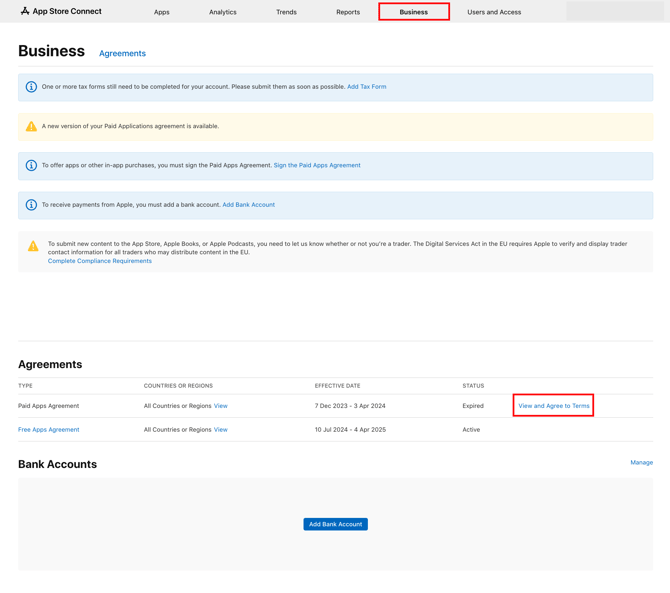
Please note: If agreeing to the open contracts under "Business" in Apple Store Connect does not work, try the following:
Edit and confirm the user information/contact details (top left in the "Business" section). You should then be able to agree to the contract for paid apps. Only then is the process complete.
Even though we do not offer any paid apps, this approval must be obtained from Apple.
If you have any questions or have completed the consent process, please send us the information at support@helloagain.com, preferably including a screenshot.