Would you like to increase the points for your customers' accumulated sales, or double the registration points for a certain period of time? You can now edit this quickly and easily yourself in the dashboard:
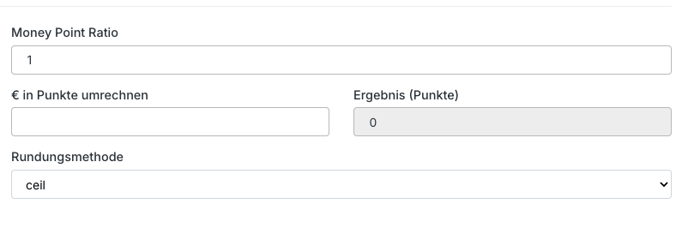
Change points for sales (1 EUR = X points):
- To do this, simply log in to the dashboard and click on the advanced menu (logo at the bottom left).
- Then click on "Settings."
- Click on the blue gear icon (button) next to the "Loyalty" menu item.
- In the section "money-point ratioYou can now edit the points per purchase.
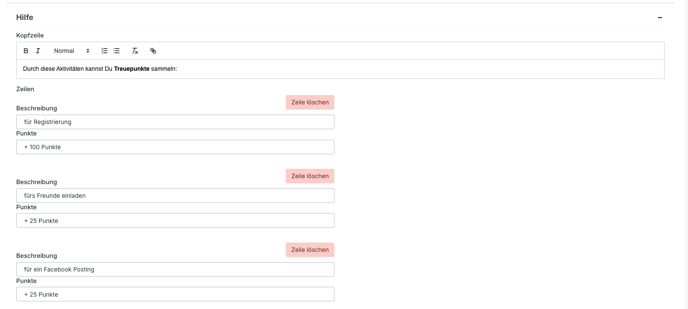
- In the "Help" section, you can then customize the description in the app under "How it works" as desired.
- Click Save and the changes will be visible in the app immediately.
Change points for registration:
- To do this, simply log in to the dashboard and click on the advanced menu (logo at the bottom left).
- Then click on "Settings."
- Click on the blue gear icon (button) next to the "Loyalty" menu item.
- In the section "registrationYou can now edit the points per purchase.

- In the "Help" section, you can then customize the description in the app under "How it works" as desired.
- Click Save and the changes will be visible in the app immediately.
Change points for inviting friends:
- To do this, simply log in to the dashboard and click on the advanced menu (logo at the bottom left).
- Then click on "Settings."
- Click on the blue gear icon (button) next to the "Friend invites" menu item.
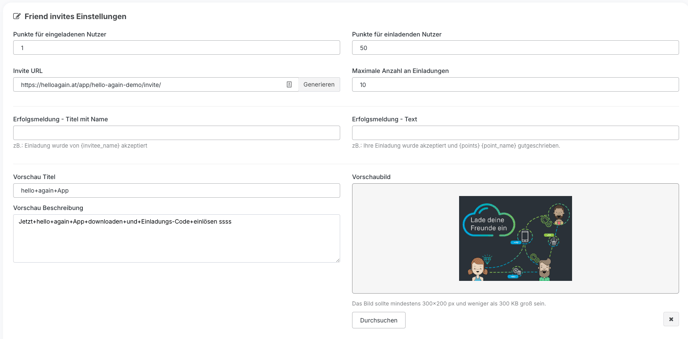
- In the section "Points for inviting usersYou can now edit the points per purchase.
- Click Save and the changes will be visible in the app immediately.
- Then click on the blue gear icon (button) next to the "Loyalty" menu item in the settings.
- In the "Help" section, you can then customize the description in the app under "How it works" as desired.
- Click Save and the changes will be visible in the app immediately.