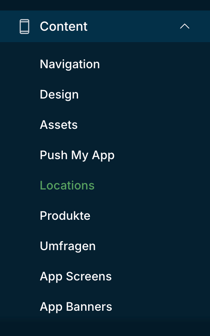
To adjust the opening hours manually, first navigate to the "Content" menu item and then select "Location. "
Select the appropriate location and click on the blue cogwheel.
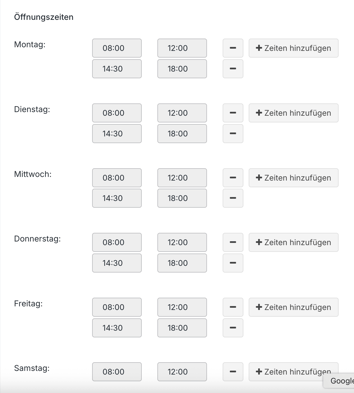
Scroll down until you see "Opening hours."
Here you can add lines and edit the times for each day using "-" and "+."
Don't forget to save!