To ensure that the Facebook news feed is displayed correctly in your app again, please follow the steps below—it only takes a few minutes, we promise!
- To do this, go to your dashboard and navigate to "Settings" in the menu bar at the bottom left.
- Find the "Facebook" section here and navigate to the details using the blue eye icon on the far right (https://dashboard.helloagain.com/#/settings/facebook).
- Here you can now link your business portfolio using the "Log in with Facebook" button.
IMPORTANT: It is important that you do this with an administrator account with full access. Edit rights are not sufficient in this case!
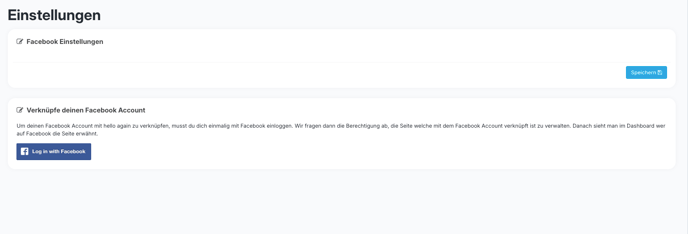
- Once the link has been successfully established, the Facebook news feed will be displayed correctly in the app again within the next 6–8 hours.
If you encounter any problems, or if the news feed is not displayed despite a successful connection, please contact our support team using this form or by emailing support@helloagain.at.