Why use deep links?
Deep links are ideal for use in social media posts to direct potential users straight to your app. They keep existing users active and motivate them to visit your app more often.
- Acquire new customers: If a prospective customer who does not yet have your app clicks on a deep link, they will be automatically redirected to the App Store or Play Store.
- Direct forwarding: After successful download, the app opens directly at the location linked to the deep link.
But how can you create deep links? 🤔
Create deep links
1️⃣ Navigate to Deeplinks
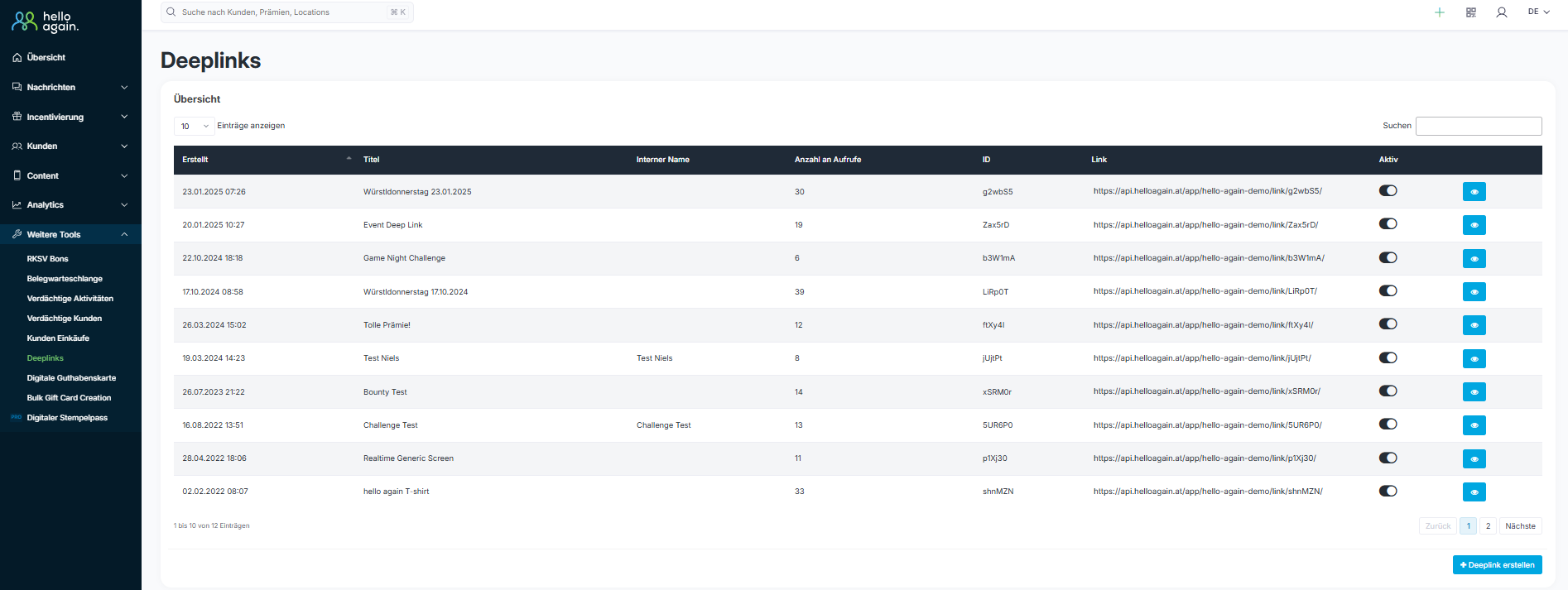
In the dashboard, you will find the Deeplink option under More Tools → Deeplinks. Here you will see an overview of all created Deeplinks.
(If this area is not visible, contact us atsupport@helloagain.at to activate the feature.)
2️⃣ Create a new deep link
Click on "+ Create deep link" to define a new deep link.
3️⃣ Enter title and details
To create a deep link, the following fields must be filled in:
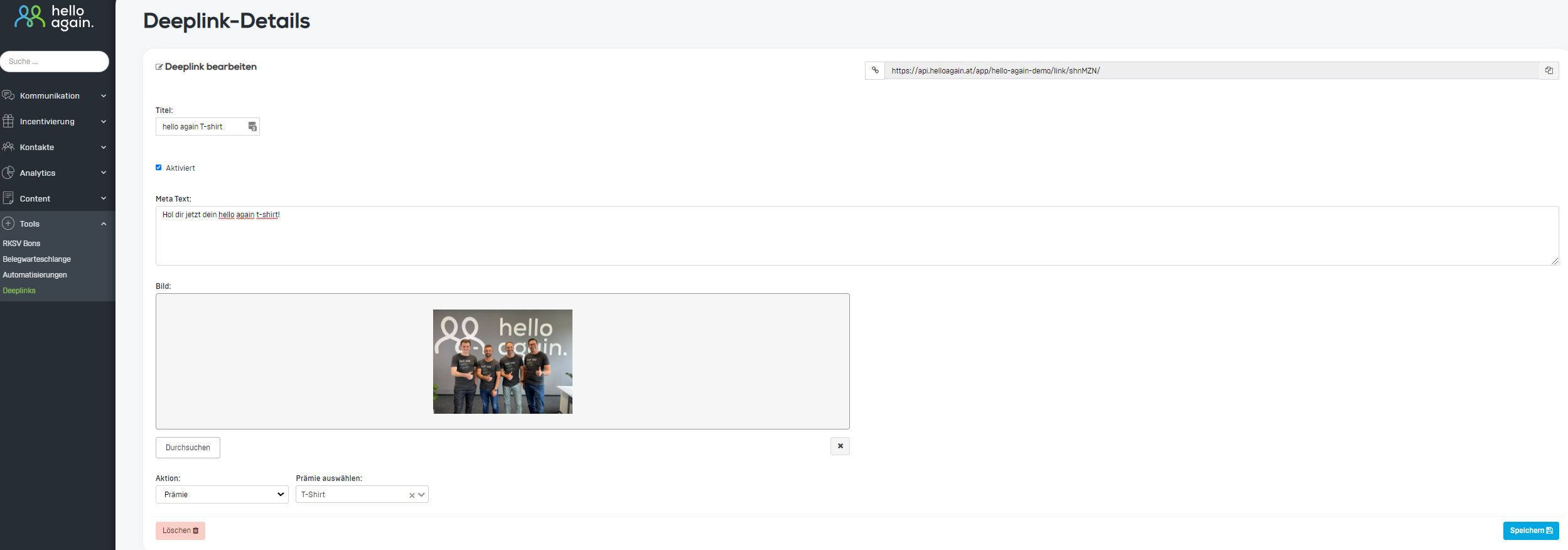
- Title: Enter a name for the deep link that will be publicly visible.
- Enabled: Check this box to activate the deep link.
- Meta Text: Optionally, you can add a more detailed description of the promotion here.
- Image: Upload a suitable image to make the deep link more visually appealing (optional).

4️⃣ Select action
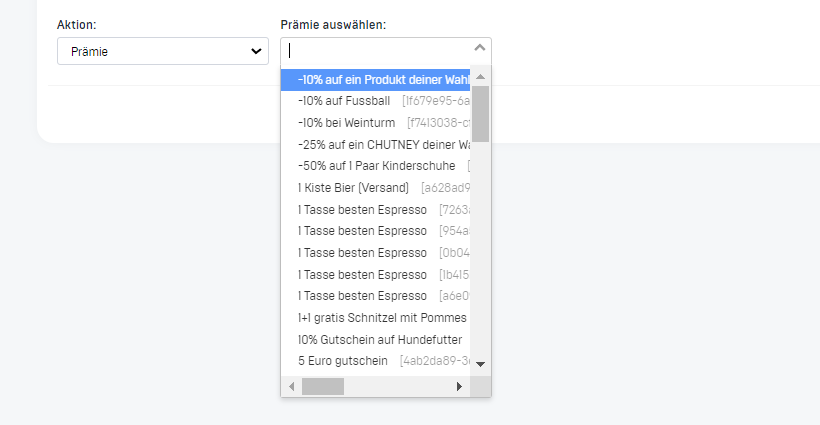
Select the action that the deep link should ultimately lead the user to. This could be a reward, survey, challenge, event, contest, or website, for example.
⚠️ Note: Only activated actions are available for selection. You can view the available options in the drop-down menu, as shown in the screenshot.
5️⃣ Save and share deep links
Once all fields have been filled in, click on the blue "Save" button (at the bottom right of the screen).
- The deep link is created and ready to use.
- You can share the generated link directly—whether with friends, in social media posts, or on other platforms.
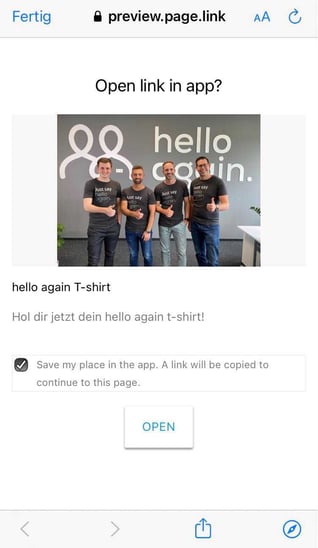
An example of the layout and design of a deep link in a Facebook post is shown in the screenshot.
When a user clicks on the link, a preview page is displayed first. By clicking on the "Open" button, they are then redirected directly to the reward within the app.
-1.png?width=443&name=image%20(2)-1.png) |
 |