Main features of the home page:
-
Key figures:
- Customers: Number of registrations in the app.
- Monthly active customers: Number of monthly active users of the app.
- Social share: Number of Facebook posts and friend invitations.
- Downloads: Number of app downloads.
- Revenue: Revenue generated by app users.
- Scans: Number of QR codes scanned.
-
Live feed: Shows in real time how your customers interact with your business.
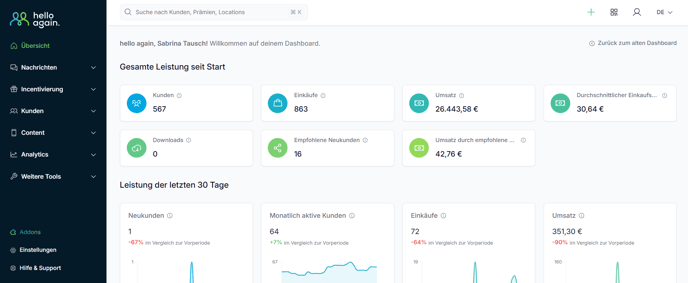
1. Overview: Home page
- What do I see here?
The home page provides you with an overview of the most important key figures for your loyalty club: number of customers, purchases, sales, new customers, etc. - What can I do?
Get a quick overview of your performance since the beginning and over the last 30 days.
2. Menu bar (left)
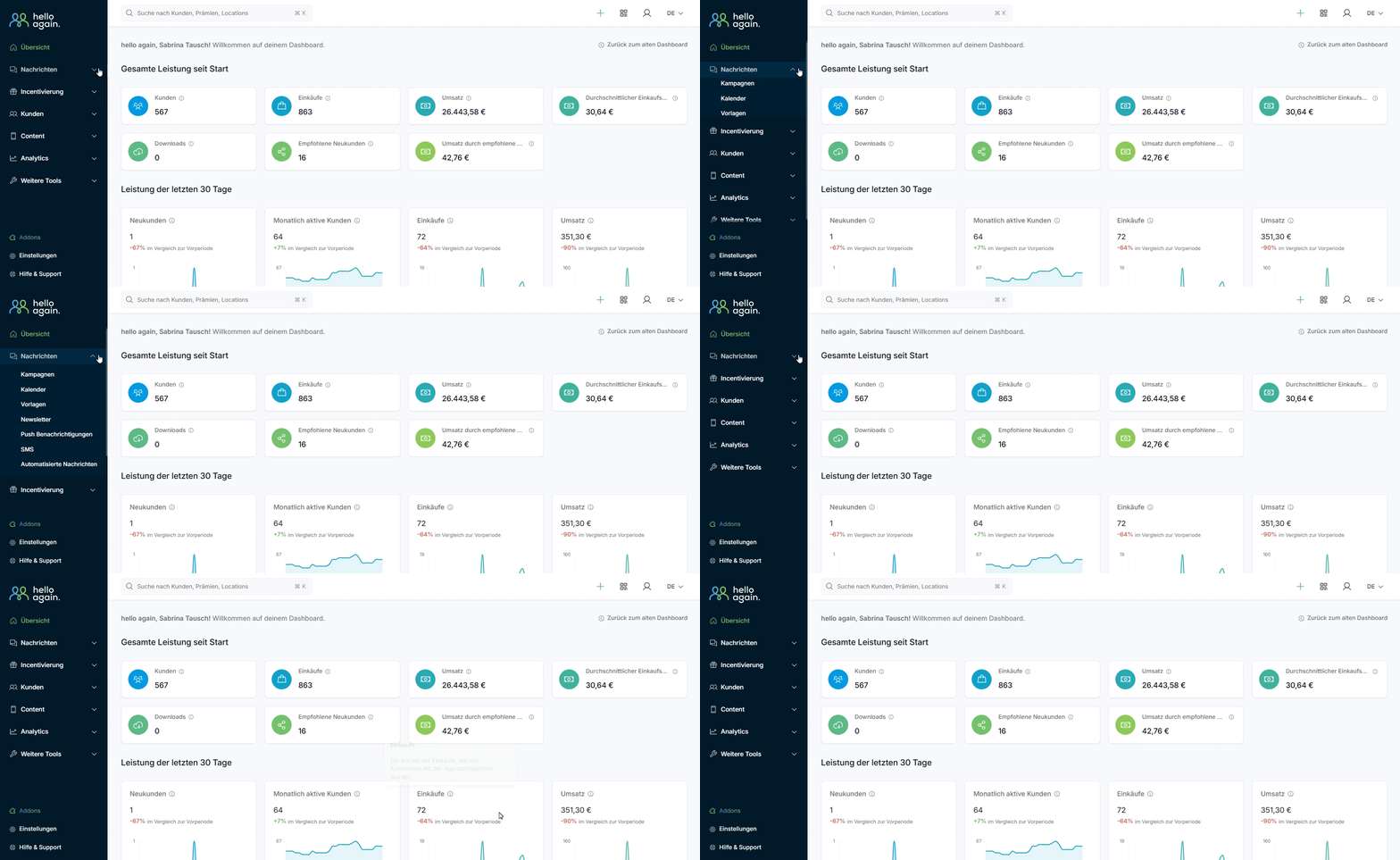
The menu bar is your starting point for all functions. Here are the most important areas:
a) News
- Plan, send, and manage automated or one-time messages or campaigns for your customers.
- Click on "Messages" to get started.
b) Incentives
- "Here is some more detailed information about what this area of the dashboard can do."
- Manage rewards, sweepstakes, and coupons to delight your customers.
- Click on "Incentives"to get started.
- "Here is a use case example in the form of a video."
c) Customers
- Check out the customer profiles and activity overviews.
- Forwarding: Select "Customers" to initiate targeted actions.
d) Content
- Edit and manage your app's content.
- Forwarding: Click on "Content" to update content such as images, text, or designs.
e) Analytics
- Gain insights through statistics and analyses of your customer data and activities.
- Forwarding: Click on "Analytics" to dive deeper into the data.
f) Additional tools
- Additional features and options for managing your loyalty club.
- Forwarding: Select "More Tools" to discover all features.
3. Quick settings (top right, plus symbol)
- What can I do here?
Frequently used functions such as creating new rewards, campaigns, or settings can be accessed quickly here.
4. Help & Support
- What should I do if I get stuck?
You will find the 'Help & Support' buttonin the menu bar on the left .
Click on it to go to the help page: There you can search for answers to your questions in the FAQ search and, if you still can't find what you're looking for, contact the support team via the 'Contact' link .
Your central entry point for customer loyalty and campaign management—learn more about the dashboard!