In the customer details, you can manually add or deduct points for customers.
1. Go to "Customers" in the dashboard submenu.
2. Search for the relevant customer by entering their details in the search field at the top right.
3. Click on the "blue eye" of the selected customer to access the details.
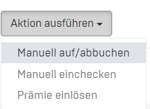
4. Select "Execute action" - "Manual credit/debit."
5. Enter the desired number of points or amount in euros and click on "Book."

6. Done!