What is Automation Builder?⚒️
Automation Builder allows you to automate recurring customer actions easily and efficiently—visually, flexibly, and directly in the dashboard.
Whether push notifications, rewards, or review reminders: automations save you time and strengthen customer loyalty at the same time.
What does this feature offer? 💡
With the new Automation Builder, you can plan your customer journeys once and for all directly in the dashboard—exactly as you need them.
After that, everything runs automatically in the background: recurring tasks take care of themselves and you gain noticeably more time for your day-to-day business—for example, with automatic birthday greetings, a welcome bonus for new customers, or smartly controlled bonus and voucher campaigns.
What can Automation Builder do? 🚀
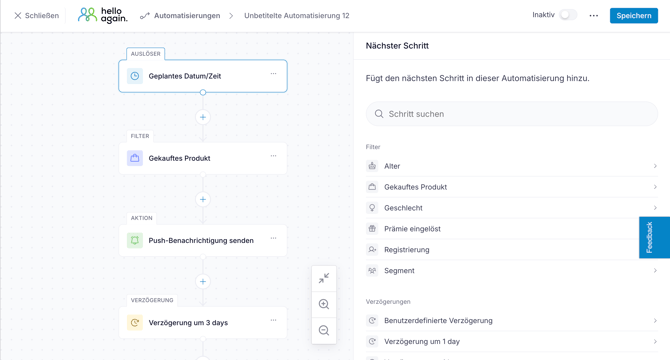
Automation Builder is a modern, visual workflow editor that allows you to set up fixed processes for your customer marketing once and then run them automatically in the background—for example, around birthdays, points, or purchases.
Each automation determines when something starts for your customers (triggers ), who it applies to (filters = restriction to certain customers), what these customers receive (actions = e.g., message or reward), and when exactly they receive it (delays = waiting times between steps).
- Trigger: A trigger is the event that starts your automation. starts.
Typical examples of this are:
-
Birthday or upcoming birthday
-
Registration of new users
-
Change in score
-
Purchase completion or inactivity
-
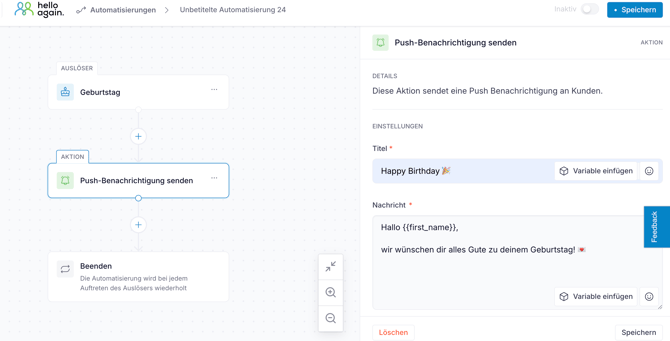
Here, an automation was created with the trigger "Birthday" and the action "Send push message":
-
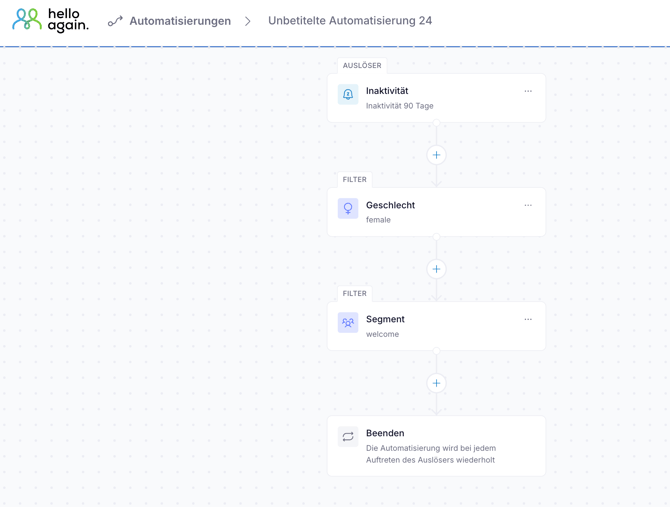
Filters: Filters allow you to specify which target group you want to address.
For example:-
Female users only
-
Only customers from a specific segment
-
Only customers who have not been active for a long time
-
Only new customers within the first 30 days after registration
-
Only particularly active regular customers
- Only customers who prefer to be contacted via push notifications
-
-
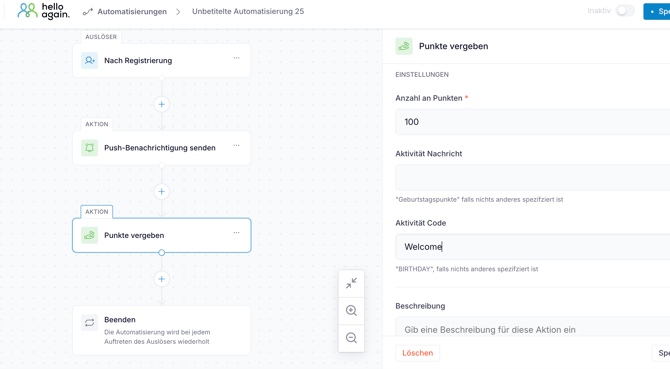
Actions: Actions allow you to specify what your customers automatically receive when the trigger is activated.
For example, you can:
-
send a push notification
-
send an email or text message
-
credit points
-
award a bonus
-
Assign customers to a segment
-
send a valuation request
-
❗Note❗
Once you have set up an automation with the action
"Send message," your customers are already taken care of—no additional push notification is necessary.
-
Delays: Here you can specify how long to wait before the next step of your automation is executed. For example:
-
10 Tage nach dem Geburtstag“
-
"1 day after purchase"
-
"Wait 3 hours before sending the next message."
-
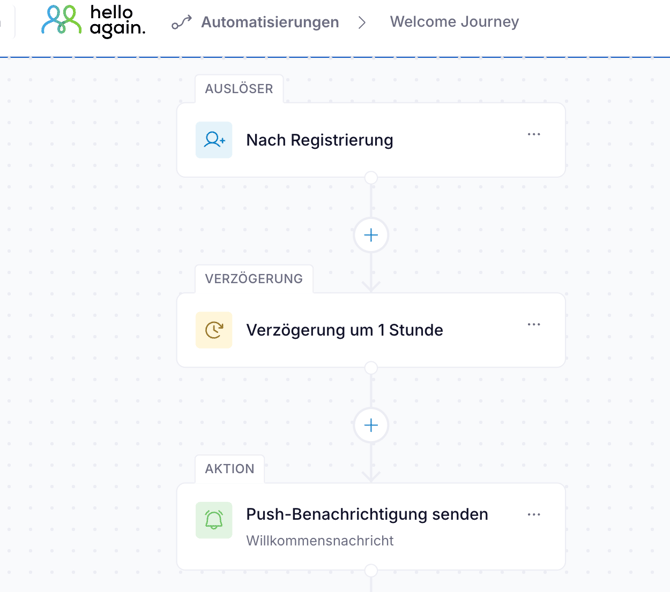
Where can I find Automation Builder? 👀
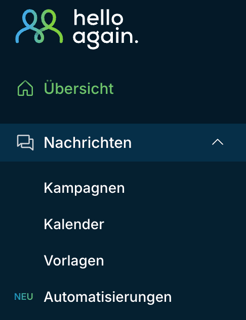
Der Automation Builder ist im Dashboard unter dem Menüpunkt:
„Nachrichten“ → „Automatisierungen“
Interactive tour 👩💻
Here you can click through the Automation Builder yourself:
Templates 📂
Ready-made templates are already available in the dashboard for typical use cases, for example:
-
Birthday campaigns
-
welcome journeys
-
Reactivation after inactivity
-
Post-purchase journeys
You can use these templates directly or customize them to suit your specific use cases and applications.
Feel free to email us at support@helloagain.com if you would like us to assist you with your automation needs.